

Can a laminator be used for laminating book covers?
Jun 09, 2025
Leave a message
Hey there! As a laminator supplier, I often get asked if a laminator can be used for laminating book covers. Well, the short answer is yes, but there's a lot more to it than just a simple yes or no. Let's dive into the details and find out how you can use a laminator for your book covers.
Understanding Laminators and Their Types
First things first, let's talk about what a laminator is. A laminator is a machine that seals a document or an item between two layers of plastic film. This process not only protects the item from wear and tear but also gives it a more professional and durable look.
There are different types of laminators available in the market, each with its own set of features and capabilities. For example, we have the Oca Lamination Machine, which is known for its high - precision lamination. It's great for delicate materials and can provide a smooth and even lamination.
Then there's the A3 Laminating Machine. As the name suggests, it can handle A3 - sized materials. This is perfect if you're working with larger book covers or other big - sized documents.
And of course, the Laminator A4 is a popular choice for those who mainly deal with A4 - sized items. It's compact, easy to use, and suitable for home or small - office use.
Can You Really Use a Laminator for Book Covers?
Now, back to the main question. Yes, you can use a laminator for book covers. Laminating a book cover has several benefits. It protects the cover from spills, dirt, and general wear and tear. If you have a favorite book or an important document in a book format, laminating the cover can extend its lifespan.
However, there are a few things you need to consider before you start laminating your book covers.
1. Size of the Book Cover
The size of the book cover is crucial. You need to make sure that the laminator you choose can handle the size of your book cover. If you have a large - format book, a small A4 laminator won't be sufficient. In this case, you might want to go for an A3 laminating machine or an even larger one if available.
2. Type of Book Cover Material
The material of the book cover also matters. Some book covers are made of thick cardboard, while others are made of thinner paper or fabric. If the cover is too thick, it might not pass through the laminator smoothly. You may need to adjust the settings of the laminator or choose a laminator that can handle thicker materials.
For example, if you're laminating a fabric book cover, you need to be extra careful. The fabric might get wrinkled during the lamination process. You may need to pre - press the fabric to make it as flat as possible before laminating.
3. Laminating Film Thickness
The thickness of the laminating film is another important factor. Thicker films provide more protection but can also make the book cover stiffer. Thinner films are more flexible but may not offer as much protection. You need to choose the right film thickness based on your needs.
Step - by - Step Guide to Laminating Book Covers
If you've decided to go ahead and laminate your book covers, here's a step - by - step guide to help you out.
Step 1: Prepare the Book Cover
Clean the book cover to remove any dust, dirt, or fingerprints. If the cover is wrinkled, try to smooth it out as much as possible. You can use a cloth or a soft brush to clean the cover.
Step 2: Choose the Right Laminating Film
Select a laminating film that is suitable for your book cover material and size. Make sure the film is large enough to cover the entire book cover with a little extra margin on the sides.

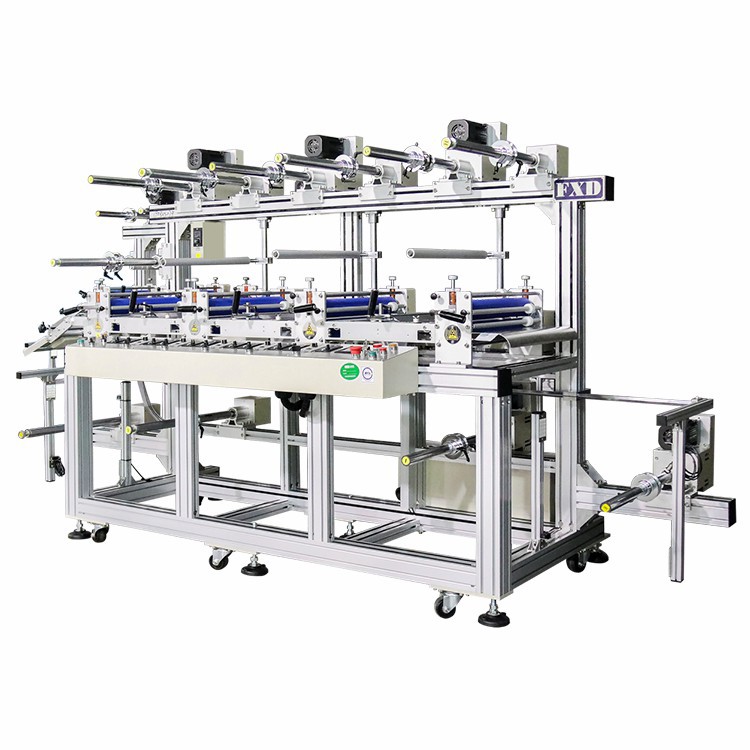
Step 3: Insert the Book Cover into the Laminating Pouch
Place the book cover inside the laminating pouch. Make sure it is centered and there are no air bubbles or wrinkles inside the pouch.
Step 4: Set Up the Laminator
Turn on the laminator and let it heat up. Check the manufacturer's instructions to set the appropriate temperature and speed for your laminating film and book cover material.
Step 5: Feed the Pouched Book Cover into the Laminator
Slowly feed the pouched book cover into the laminator. Make sure it goes in straight to avoid any uneven lamination.
Step 6: Trim the Excess Film
Once the lamination is complete, let the book cover cool down. Then, use a sharp cutter or scissors to trim the excess laminating film around the edges of the book cover.
Potential Challenges and How to Overcome Them
Laminating book covers is not always a smooth process. You may encounter some challenges along the way.
Air Bubbles
Air bubbles can form between the book cover and the laminating film. To avoid this, make sure you smooth out the book cover and the laminating pouch before inserting it into the laminator. If you still get air bubbles, you can try gently pressing them out with a flat object like a credit card.
Wrinkles
Wrinkles can occur if the book cover or the laminating film is not flat. As mentioned earlier, pre - press the book cover if it's wrinkled. Also, make sure the laminating film is properly aligned and fed straight into the laminator.
Uneven Lamination
Uneven lamination can happen if the temperature or speed settings of the laminator are not correct. Always follow the manufacturer's instructions and make adjustments if necessary.
Conclusion
In conclusion, using a laminator for book covers is definitely possible and can be a great way to protect and enhance the look of your books. With the right laminator, proper preparation, and a bit of practice, you can achieve professional - looking results.
If you're interested in purchasing a laminator for your book - covering needs or any other laminating projects, don't hesitate to get in touch with us. We're here to help you choose the right laminator and provide you with all the support you need.
References
- General knowledge about laminators and their applications
- Manufacturer's manuals of various laminating machines